



Blog
Customized USB flash drive with anti-copy function

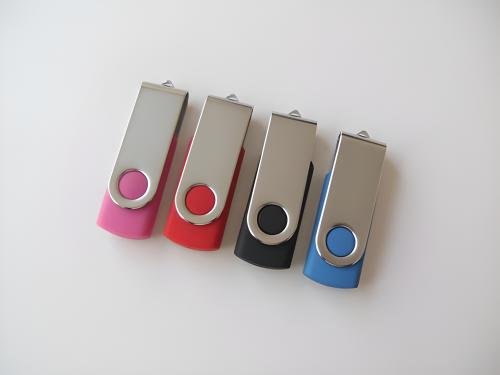
Custom USB Drives with Copy Protection: Securing Digital Content in a Portable Format
In industries where intellectual property or sensitive data is frequently shared via USB drives, unauthorized copying poses a significant risk. Custom USB drives with built-in copy protection offer a proactive solution by preventing files from being duplicated, printed, or forwarded without permission. This technology is particularly valuable for businesses, educators, and creators who need to distribute content while maintaining control over its usage. Below, we explore how copy protection works, its practical applications, and key considerations for designing effective solutions.
How Copy Protection Mechanisms Safeguard USB Drive Content
Copy protection for USB drives relies on a combination of hardware and software techniques to restrict unauthorized access to files. Unlike basic encryption, which secures data from theft, copy protection focuses on controlling how the data can be used once accessed.
One common method involves embedding a proprietary software layer within the USB drive’s firmware. This software interacts with the host computer’s operating system to enforce usage rules, such as blocking copy-paste operations, disabling screen capture tools, or restricting file transfers to other devices. The rules are defined during the drive’s customization phase and can be tailored to specific needs, such as allowing read-only access or limiting the number of times a file can be opened.
Another approach uses digital rights management (DRM) technology, which ties files to specific users or devices. When a protected file is accessed, the DRM system checks the user’s credentials or the device’s identity before granting permission. If the conditions aren’t met, the file remains locked or becomes unusable. This method is often used for distributing e-books, software, or multimedia content.
Some advanced copy protection systems combine hardware and software elements by storing encryption keys or usage rules in a secure chip embedded within the USB drive. This chip acts as a gatekeeper, ensuring that only authorized operations are performed on the protected files.
Practical Use Cases for Copy-Protected USB Drives
The versatility of copy-protected USB drives makes them suitable for a wide range of scenarios where content control is critical.
Corporate Training and Internal Communications
Companies often distribute training materials, policy documents, or proprietary software via USB drives. Copy protection ensures that employees cannot share these resources externally or modify them without authorization, maintaining consistency and security across the organization.
Educational Content Distribution
Educators and publishers can use copy-protected USB drives to distribute textbooks, lecture notes, or multimedia resources to students. By preventing unauthorized copying or sharing, they protect their intellectual property while ensuring that students have access to the materials they need.
Creative and Media Industries
Photographers, videographers, and musicians frequently share high-resolution files or raw footage with clients or collaborators. Copy protection allows them to showcase their work without fear of it being reused or distributed without permission, preserving their creative rights and revenue streams.
Designing Effective Copy Protection for Custom USB Drives
Creating a copy-protected USB drive that balances security with usability requires careful planning and attention to detail.
Defining Clear Usage Rules
Before implementing copy protection, determine exactly what actions you want to restrict. Do you want to block all copying and printing, or only allow specific users to modify files? Clearly defining these rules ensures that the protection aligns with your goals without being overly restrictive.
Choosing the Right Protection Level
Not all content requires the same level of protection. For sensitive corporate documents, a robust DRM system with user authentication might be necessary. For educational materials, a simpler solution that blocks basic copy-paste operations could suffice. Select a protection method that matches the value and sensitivity of your content.
Ensuring Compatibility Across Devices
Copy protection systems must work seamlessly on different operating systems and devices. Test the drive on Windows, macOS, and Linux systems, as well as on tablets or smartphones if applicable. Compatibility issues can frustrate users and undermine the effectiveness of the protection.
Addressing Challenges in Copy-Protected USB Drive Implementation
While copy protection offers significant benefits, it also introduces challenges that must be addressed to ensure a smooth user experience.
Avoiding Overly Restrictive Policies
If the protection is too rigid, legitimate users may struggle to access or use the content as intended. For example, blocking all printing could prevent users from creating hard copies for reference. Strike a balance between security and functionality to avoid frustrating users.
Handling Lost or Stolen Credentials
If the copy protection system relies on user authentication, provide a secure way to recover or reset credentials. Losing access to protected files due to a forgotten password or lost device can be costly, especially for businesses or creators. Implement a backup authentication method, such as a secondary email or security question, to mitigate this risk.
Educating Users on Protection Limitations
No copy protection system is foolproof. Determined users may find ways to bypass restrictions using advanced tools or techniques. Educate users about the limitations of the protection and encourage them to report any suspicious activity or unauthorized sharing. Transparency builds trust and helps maintain the integrity of the protected content.
By integrating copy protection into custom USB drives, organizations and individuals can create a secure, controlled environment for sharing digital content. With thoughtful design and user-centric policies, these drives can protect intellectual property while ensuring that authorized users have the access they need.